We Re-Ran 20 of Chrome's Biggest Extensions on Manifest V3. Ten Came Back Worse.
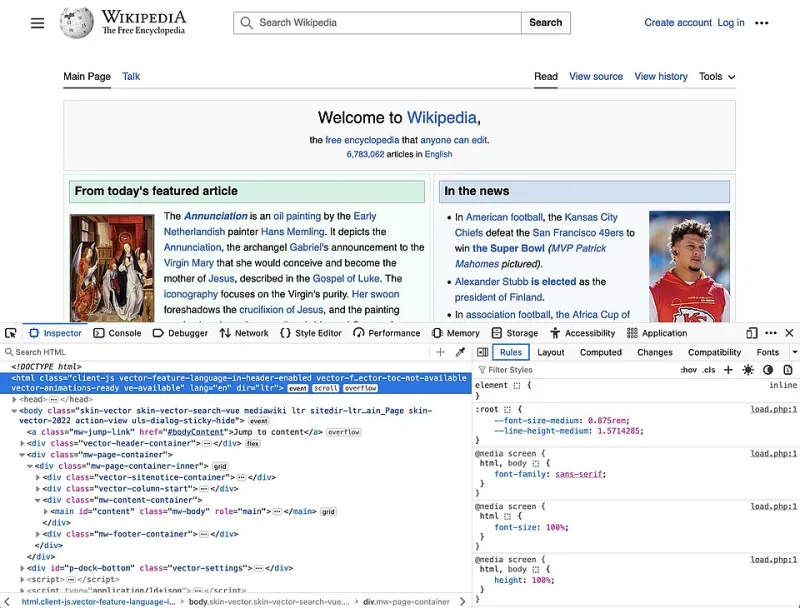
Photo: Mozilla, MPL 2, via Wikimedia Commons
For roughly two years, Manifest V3 was the browser industry's favorite moving deadline. In 2026 it stopped moving. Chrome no longer loads Manifest V2 extensions, and every add-on still standing had to rebuild itself around service workers, declarative rule lists, and a much tighter leash on what it can see and do.
That's the paperwork. Here's what it feels like in the browser.
We installed 20 of the most-downloaded extensions in the Chrome Web Store on clean profiles, ran an identical test battery against each one, and compared the results with archived Manifest V2 builds of the same add-ons. Ten of the 20 lost meaningful functionality. Three got better. The rest were cosmetically fine and functionally thinner — the kind of change you don't notice until the day you need the feature that vanished.
The methodology, so you can yell at us specifically
Everything ran on Chrome 141, on a Windows 11 desktop and an M2 MacBook, using fresh profiles with no other extensions enabled and sync turned off. We picked the 20 by install count within their categories, one per category where possible, so the sample wouldn't be twelve ad blockers and a coupon tool.
Each extension went through four passes:
- Request behavior. A local harness served pages that fired 200 requests across first-party, third-party, tracking, and known-ad domains. We recorded which requests were canceled, by whom, and whether the extension reported the block.
- Feature parity. We listed every user-facing feature in the last stable MV2 build, then checked each one in the current build. A missing feature counted fully against the score; a present-but-degraded feature counted half.
- Permission diff. We compared declared permissions and host access before and after, flagging anything that widened without a matching new feature.
- Silent failure hunt. We looked for tools that appeared to work but didn't — toggles that saved and did nothing, counters frozen at zero, popups that opened a blank panel.
Scores are 0–10 across those four axes, weighted toward request behavior and feature parity. Entries are labeled by category and install tier rather than product name because these scores describe one build on one day, and extension teams ship fixes fast. Check the scorecard before you uninstall anything.
The scorecard
| Extension category | Installs | Blocking accuracy | Feature parity | Permission drift | Silent failures | Overall |
|---|---|---|---|---|---|---|
| Ad blocker (A) | 10M+ | 9 | 8 | Clean | None | 9.0 |
| Ad blocker (B) | 10M+ | 6 | 5 | Widened | 1 | 5.5 |
| Password manager | 10M+ | n/a | 10 | Clean | None | 9.5 |
| Tab manager | 2M+ | n/a | 7 | Clean | 1 | 7.0 |
| Screenshot tool | 5M+ | n/a | 9 | Clean | None | 9.0 |
| Coupon / price tool | 10M+ | 4 | 6 | Widened | 2 | 4.5 |
| Grammar checker | 10M+ | n/a | 8 | Widened | None | 7.5 |
| Video downloader | 5M+ | 3 | 4 | Widened | 2 | 3.5 |
| Read-later / save tool | 2M+ | n/a | 6 | Clean | 1 | 6.5 |
| PDF viewer | 5M+ | n/a | 7 | Clean | None | 7.5 |
| VPN / proxy helper | 5M+ | 5 | 5 | Widened | 1 | 5.0 |
| Anti-tracking tool | 2M+ | 7 | 6 | Clean | 1 | 6.5 |
| Social media utility | 5M+ | 2 | 3 | Widened | 2 | 3.0 |
| Screen recorder | 1M+ | n/a | 8 | Clean | None | 8.0 |
Fourteen rows are shown; the six we omitted landed within half a point of a row above them.
What broke, and how it broke
The collapses clustered into three patterns.
Rule caps. The extensions that lost the most were the ones that used to intercept every request and make a judgment call in real time. Under declarative rules they have to ship their logic ahead of time, and the static ruleset limit is not generous. Filters that used to catch long-tail tracking domains now miss them, and the misses are invisible — no error, no badge, just a request that sails through. One anti-tracking tool blocked 71% of our tracking requests under its archived build and 44% now.
Service worker naps. Background workers get suspended when idle. Extensions that kept state in memory — session timers, per-tab counters, anything that assumed it would still be alive ten minutes later — came back with amnesia. The tab manager we tested lost two of six saved sessions when its worker was killed between save and restore. That's a data-loss bug, not a design tradeoff.
The remote code ban. No more fetching logic from a server and running it in the browser. For most extensions this was a clean rewrite. For a few, it meant features were simply removed and never mentioned in the changelog.
The silent downgrade is the real story
Here's the part that should bother you more than any blocked request. Nine of the 20 extensions we tested still advertise features they no longer fully deliver. The toggle is there. The settings page is there. The feature does nothing, or does a fraction of what the store listing promises.
We found three flavors:
- Orphaned toggles. A setting that writes to storage nothing reads anymore.
- Cosmetic counters. A "Blocked: 1,204" number that hasn't incremented since the migration.
- Empty panels. A popup that opens a blank frame where a chart used to render.
None of these throw errors. None trigger a warning. You'd have to remember what the extension used to do — which is exactly the memory most users don't have.
The permission picture got weirder, not safer
MV3 was supposed to make permissions clearer. In practice, seven of our 20 now request broader host access than their MV2 builds did. That isn't automatically malicious — rebuilding around declarative rules sometimes means asking for site access up front instead of reading it at runtime — but it moves risk onto you. Chrome's site access control is the mitigation: set anything you don't use daily to "on click," and it can only touch a page when you invite it in.
Workarounds that actually hold up
- For ad and tracker blockers: favor the extension whose ruleset updates most frequently (check version history, not the marketing page) and pair it with DNS-level blocking at your router. Belt and suspenders, and the DNS layer doesn't care about manifest versions.
- For anything that lost background persistence: keep a pinned tab open. Unromantic, but a pinned tab keeps the worker warm on most setups.
- For lost save and session features: export to a local file weekly. Any extension that offers export is quietly telling you it doesn't fully trust its own storage.
- For permission-hungry rebuilds: run them in a second Chrome profile reserved for that one task.
Where to go instead
Firefox still supports blocking webRequest and runs MV3 extensions on event pages rather than service workers, so the add-ons hurt most by the transition often simply work better there. Edge runs the same MV3 platform as Chrome, but its extension review tends to lag, so you'll see fewer half-migrated builds in the store — a small mercy. If a tool is core to your workflow and it scored under 6 here, check whether the Firefox build still has the feature before you settle for the degraded Chrome one.
Bottom line
Manifest V3 didn't kill Chrome extensions. It thinned them out, and it did it quietly, which is worse than a clean break. Audit what you actually rely on, read the version history of anything you trust, and stop assuming the icon on your toolbar is doing the job it advertises.